 UltimaPress
Features
What UltimaPress includes on day one, and how you add the rest. Every screenshot is the real admin.
A dashboard that tells you what to do next
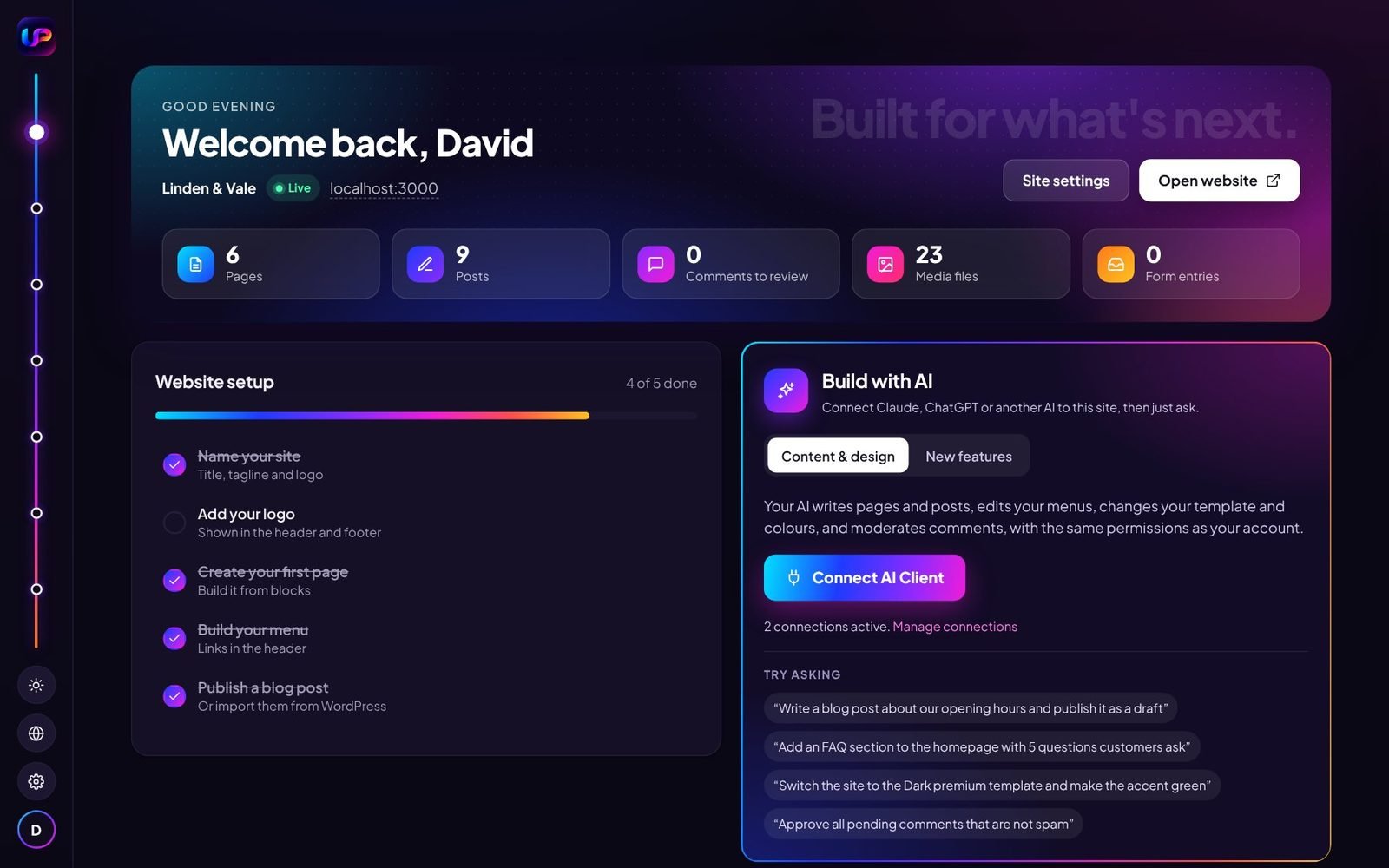
After logging in you see whether your site is live, how many pages, posts and media files it has, and which comments or form entries are waiting.
A setup checklist walks you through naming your site, choosing a template, building your menu and publishing a first post. The Build with AI panel connects Claude, ChatGPT or another AI.
The Spine
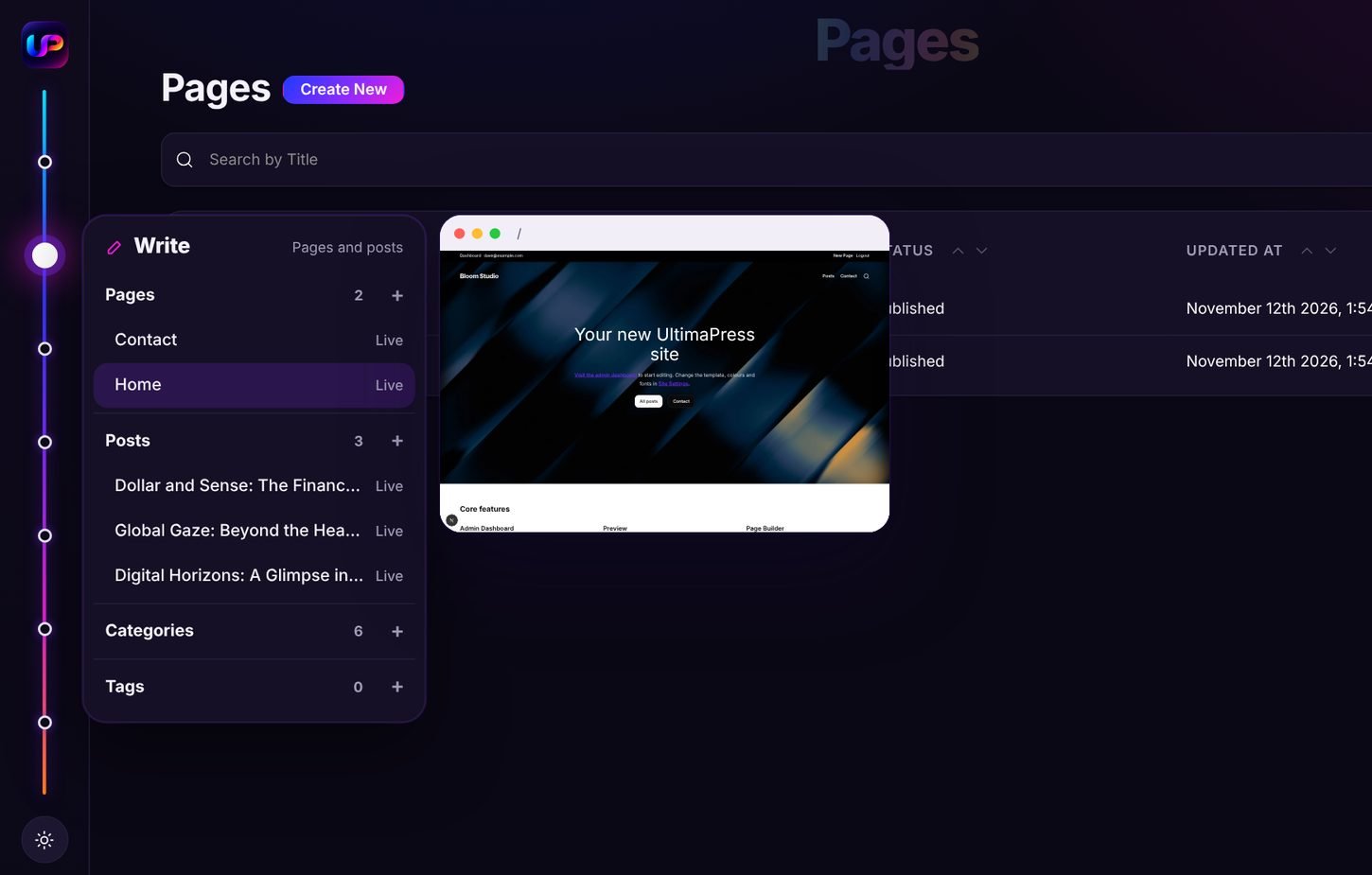
By default the menu is not a sidebar. It is a thin line down the left edge with one point per section: Dashboard, Write, Media, Design, Grow, Build and Your features.
Hover a point and its panel opens. Hover a page or post in the panel and a live preview of it appears. Badges show what needs you, such as comments waiting.
Your profile, settings, the website link and the Bright and Dark switch stay at the bottom. On a phone the menu becomes a single button.
Spine or classic sidebar
Each person chooses the menu they prefer under Your account, then Menu style, and can switch at any time. Both show the same sections.
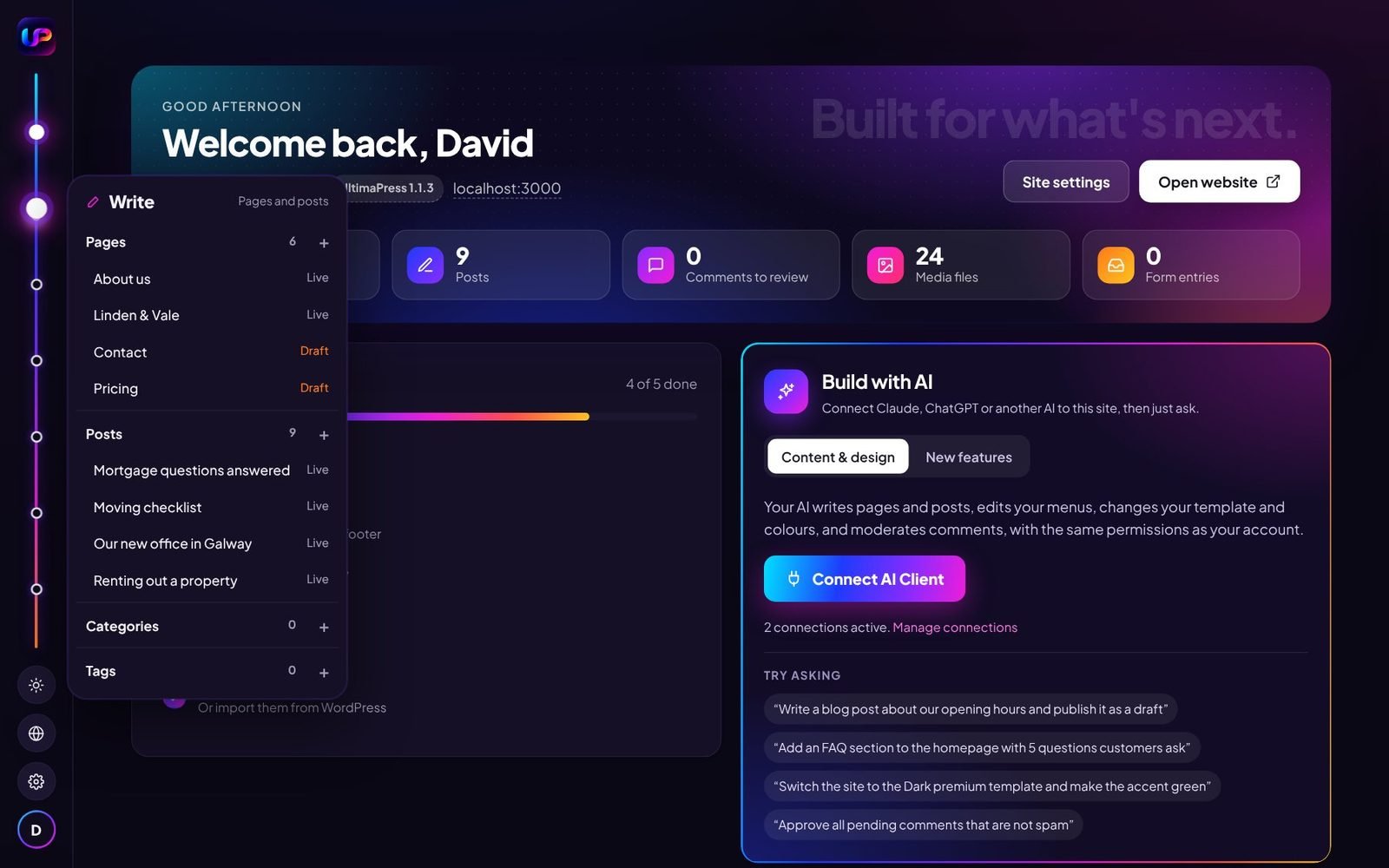
The Spine
One point per section down the left edge. Hover a point and its panel opens with your pages, posts and quick actions.
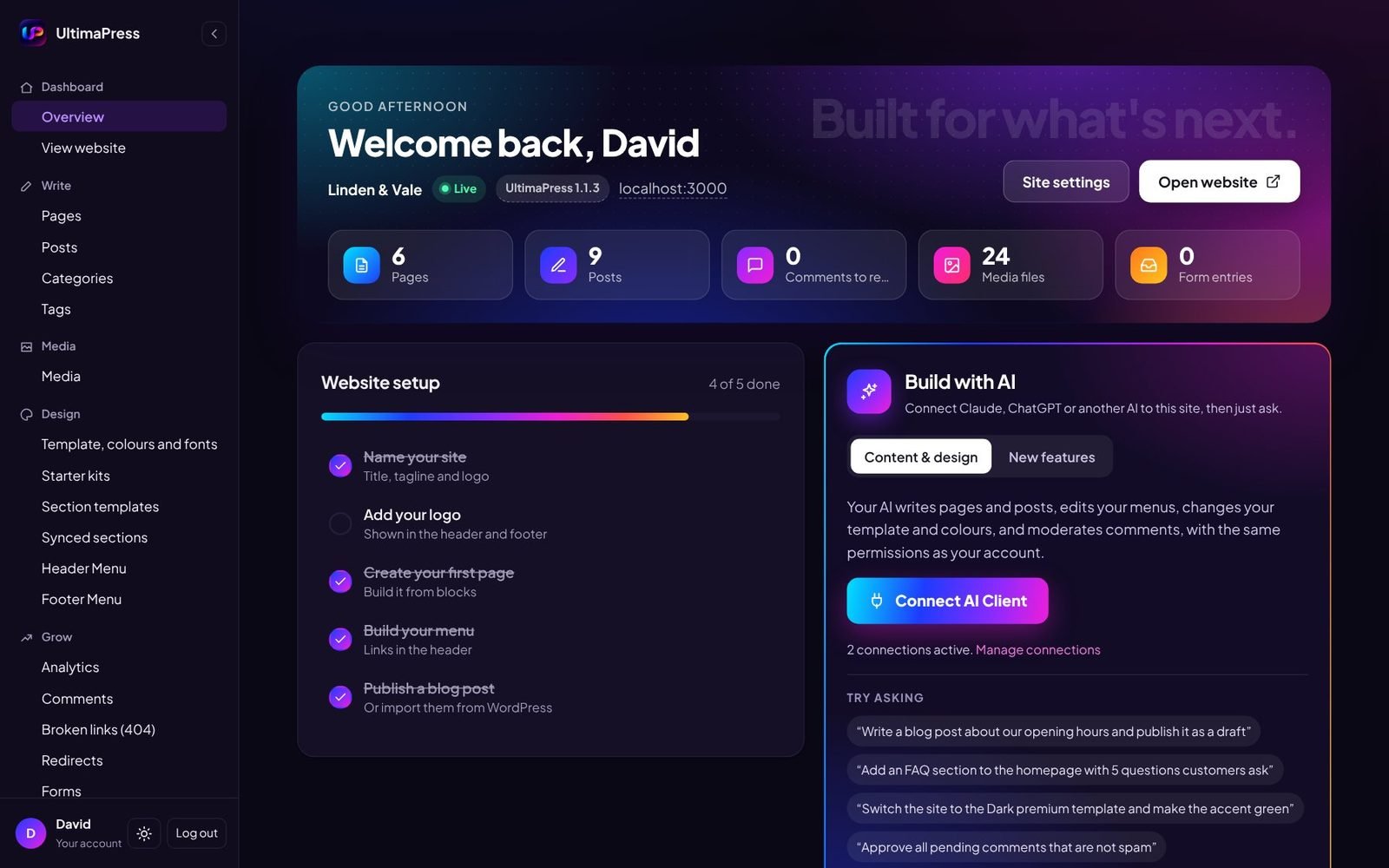
Classic sidebar
Every section listed down the left, like most admin panels. It can be collapsed to give the page more room.
Visual builder
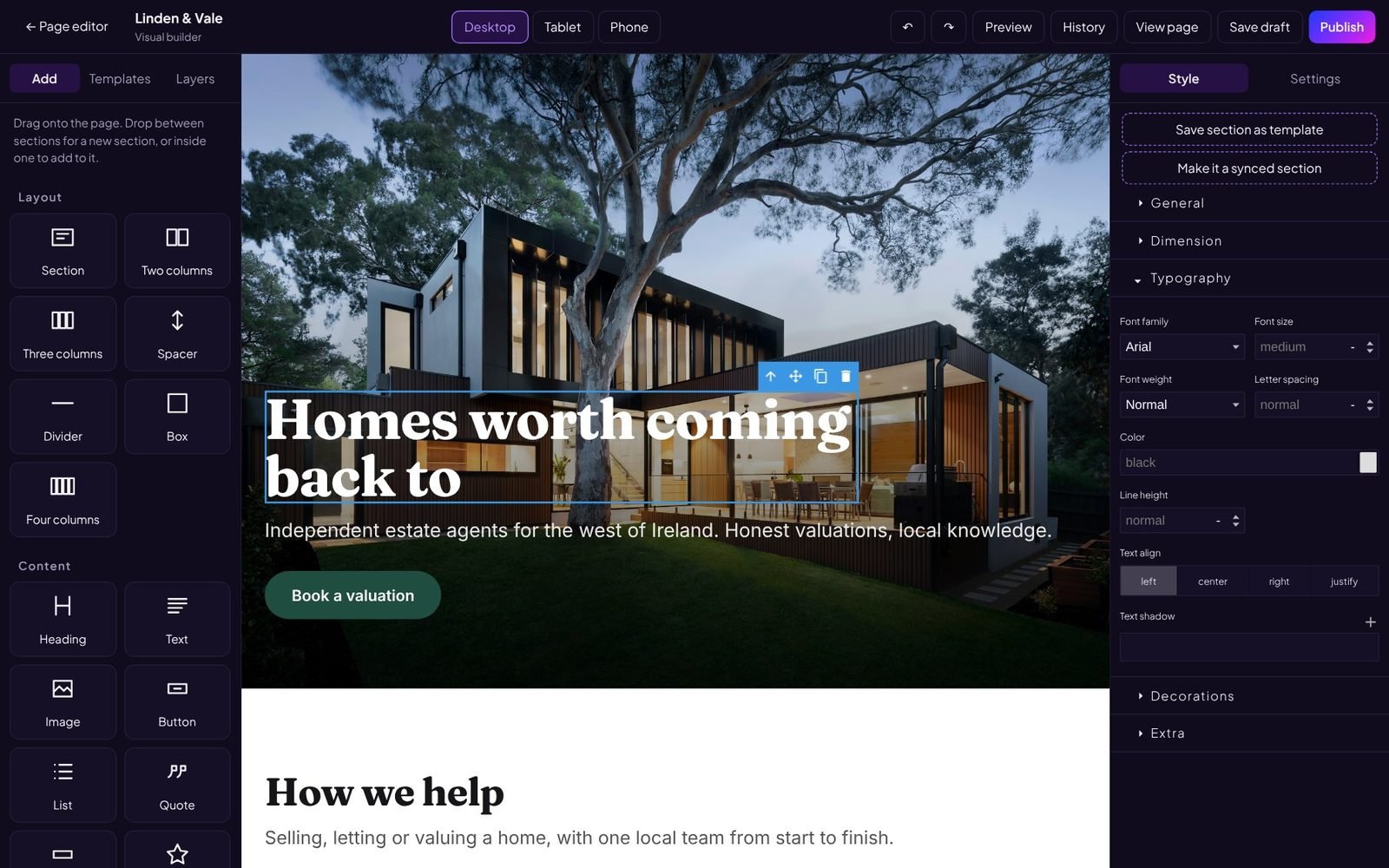
Every page has a Visual builder button. Drag sections and widgets onto the page, click any text to change it, and style whatever you select: font, size, colour, spacing, borders, shadows, entrance and hover effects.
Undo and redo, autosave every 45 seconds, and a history of saved versions you can go back to. Save any section as your own template, or as a synced section that updates on every page using it.
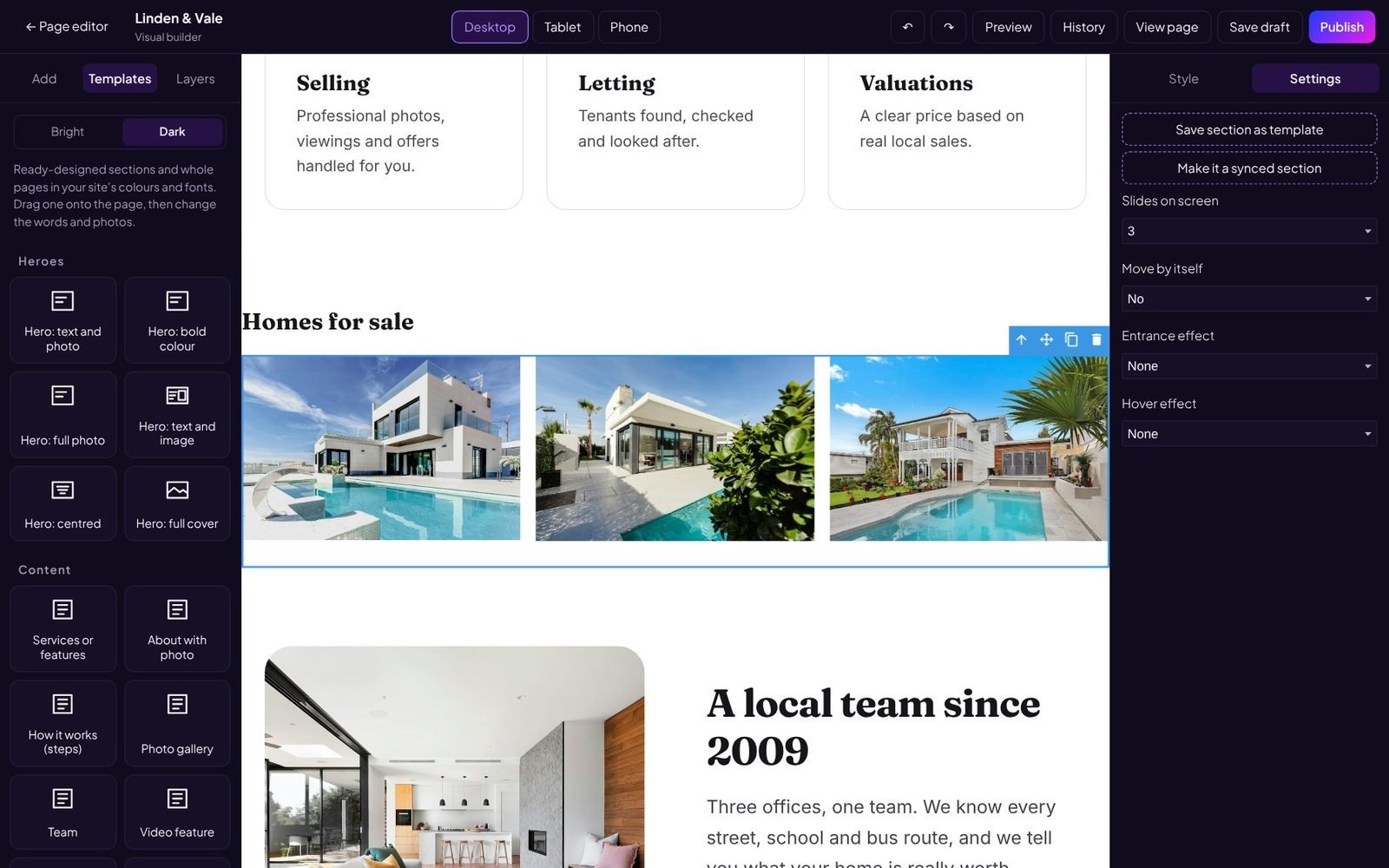
Templates and widgets
Designed sections for heroes, services, about, pricing, teams, reviews, galleries, FAQs, contact and calls to action, each in a bright and a dark version. Whole pages, headers and footers too.
Widgets include sliders and carousels, tabs, accordions, popups, countdowns, counting numbers, progress bars, star ratings, before and after, video backgrounds, maps, forms and a content grid for your posts. Each has its own settings.
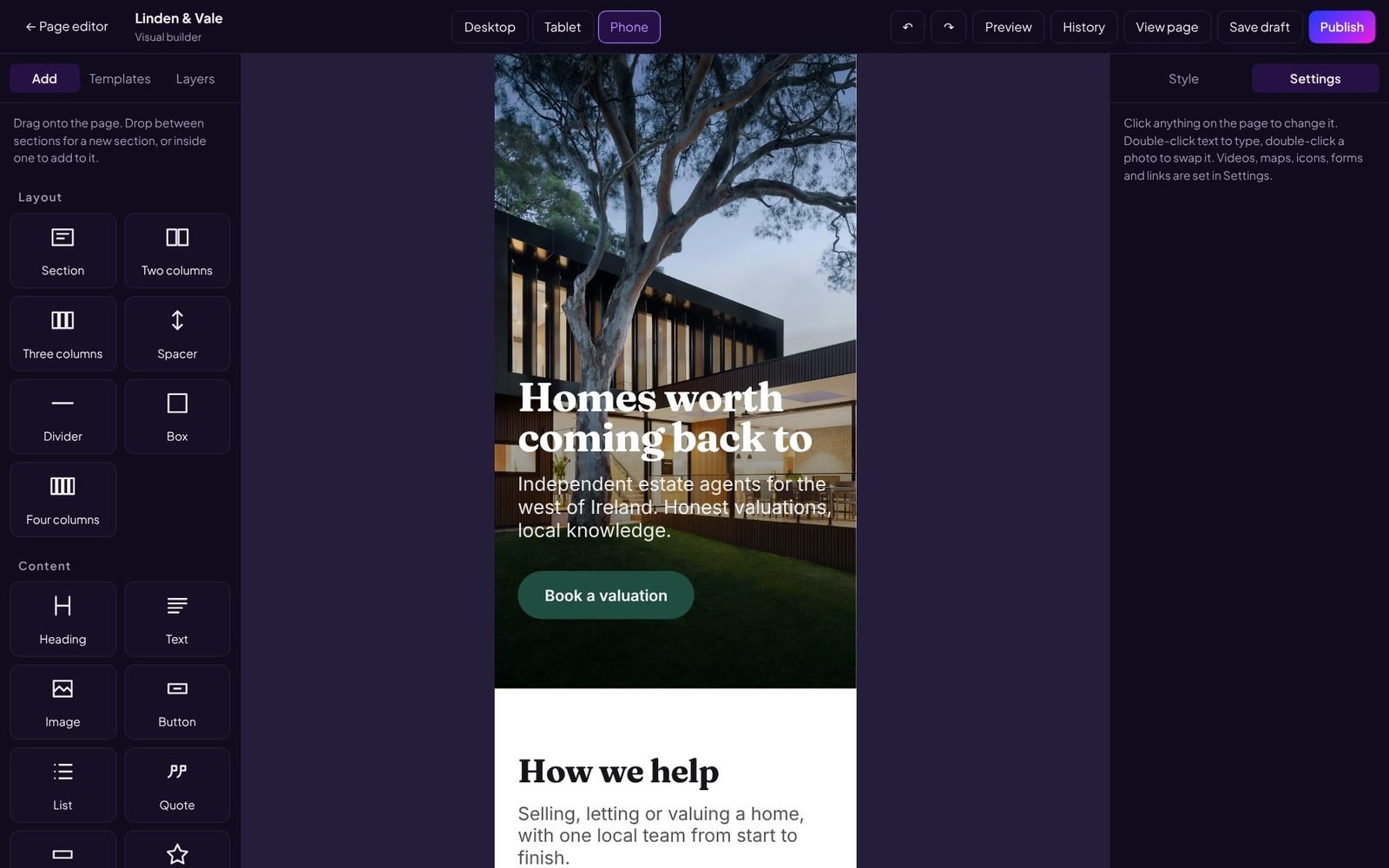
Desktop, tablet and phone
Switch the view and adjust the layout for that screen size only. Hide a section on phones, stack columns, make headings smaller. Desktop stays as you left it.
Widget code is only loaded on the pages that use widgets, so pages stay light.
Header and footer too
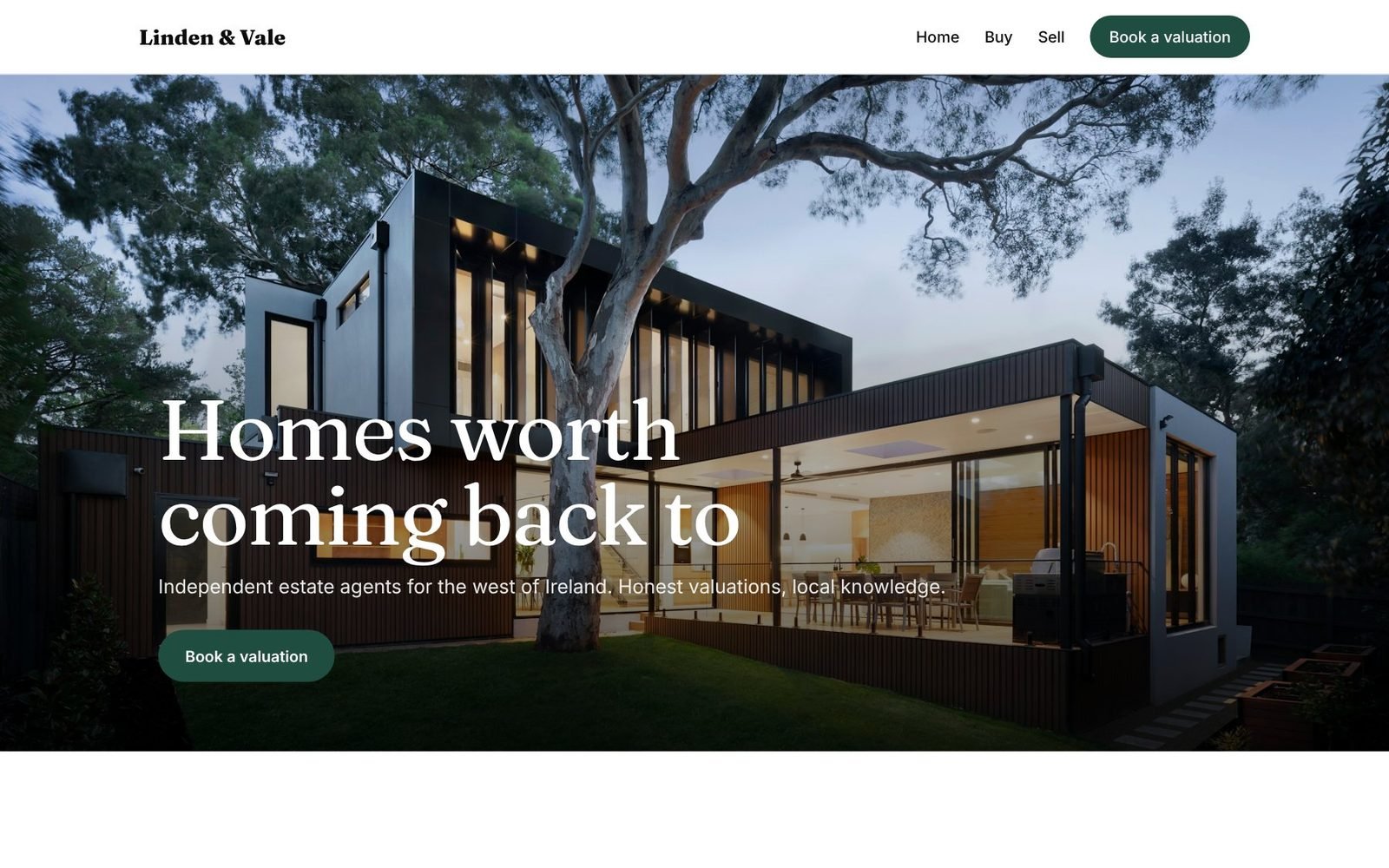
Open the header or footer in the same builder and design them like a page, from a header or footer template or from scratch.
This demo site for a fictional estate agent was built from the builder's templates, with the header and footer designed in the builder.
Starter kits
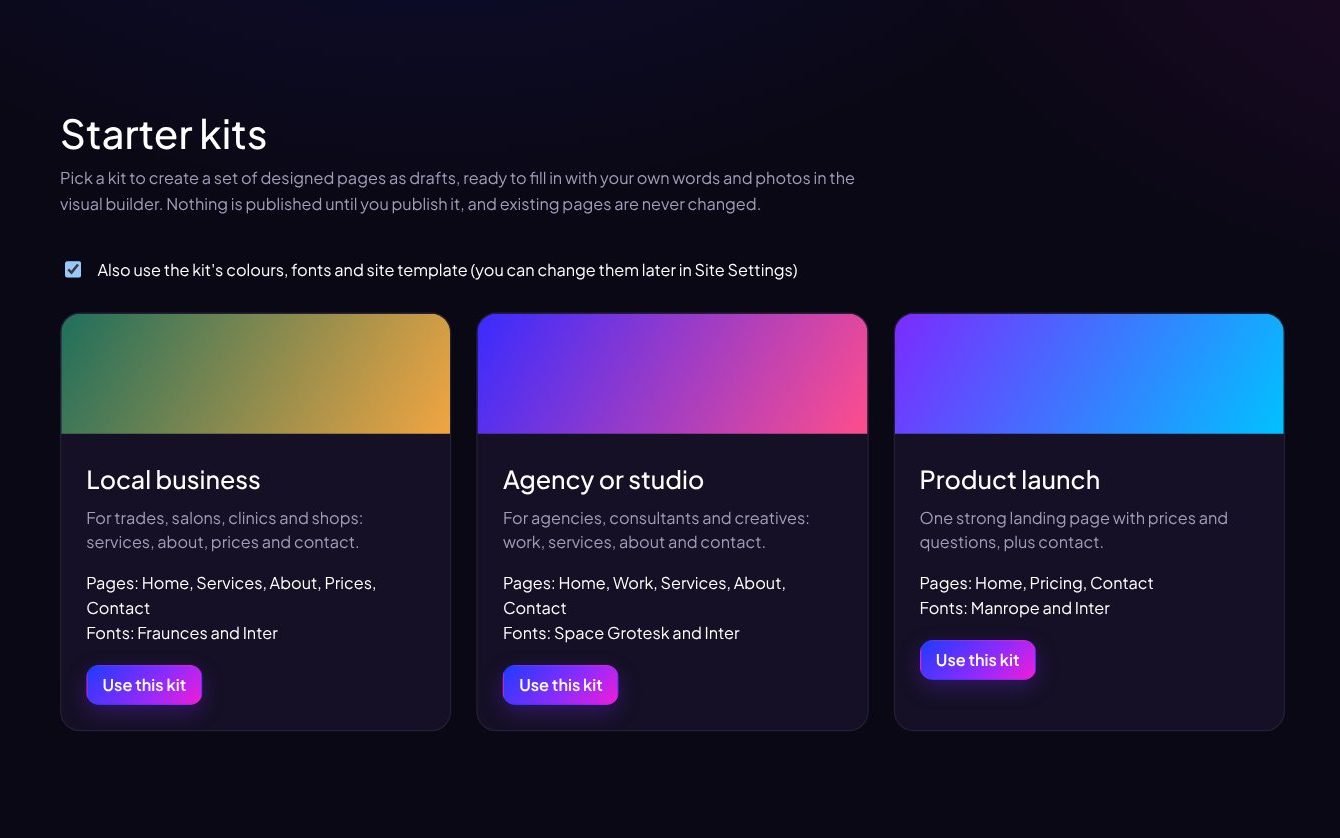
Pick Local business, Agency or studio, or Product launch, and get a set of designed pages with colours, fonts and a template to match.
The pages arrive as drafts and your existing pages are never changed, so nothing is live until you publish it.
SEO on every page
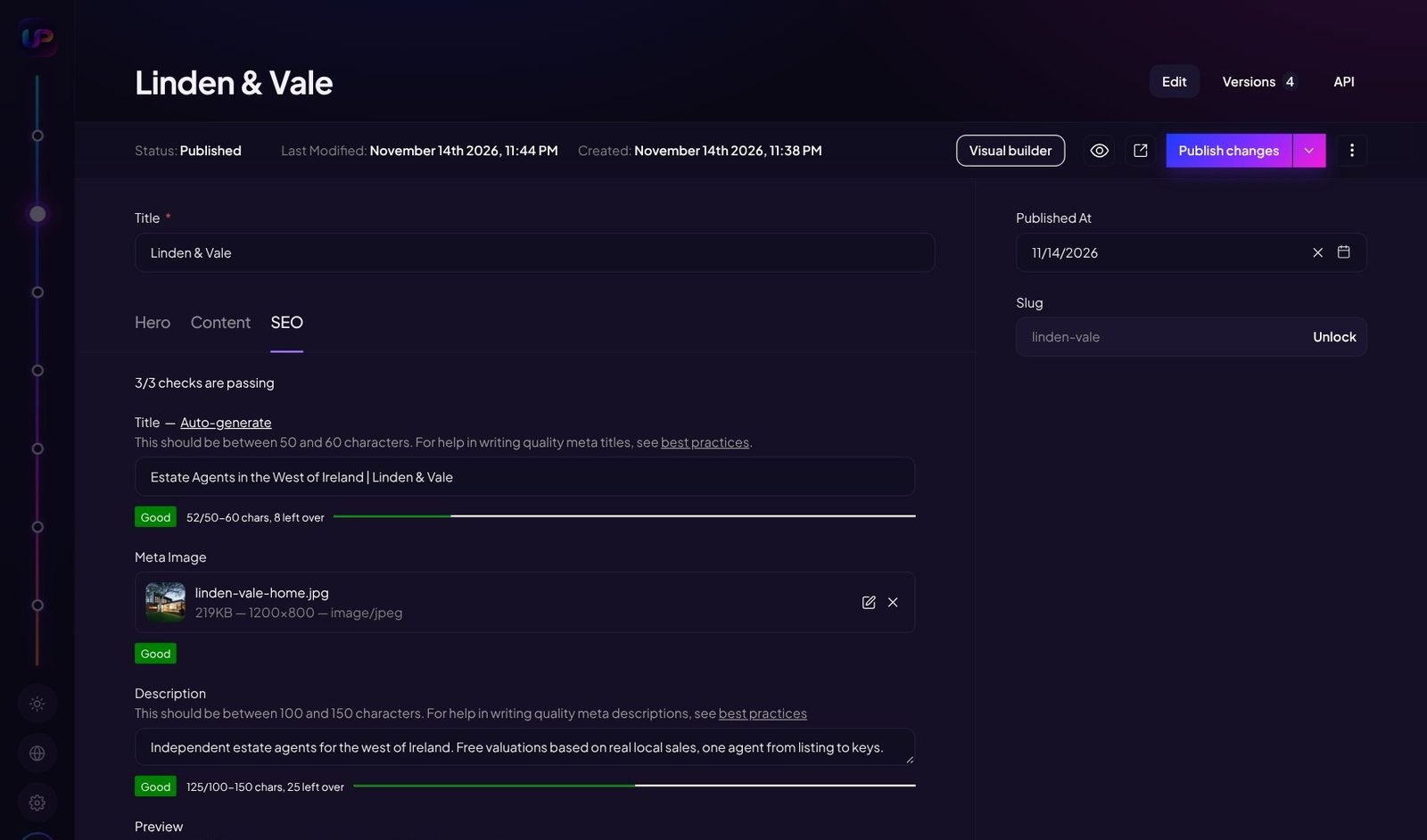
Each page and post has an SEO tab with length checks for the title and description, a focus keyword, and the image used when it is shared.
Structured data for your business, website, articles and breadcrumbs is added for you, along with sitemaps, redirects, robots control and an llms.txt file for AI search.
Visitors, without cookies
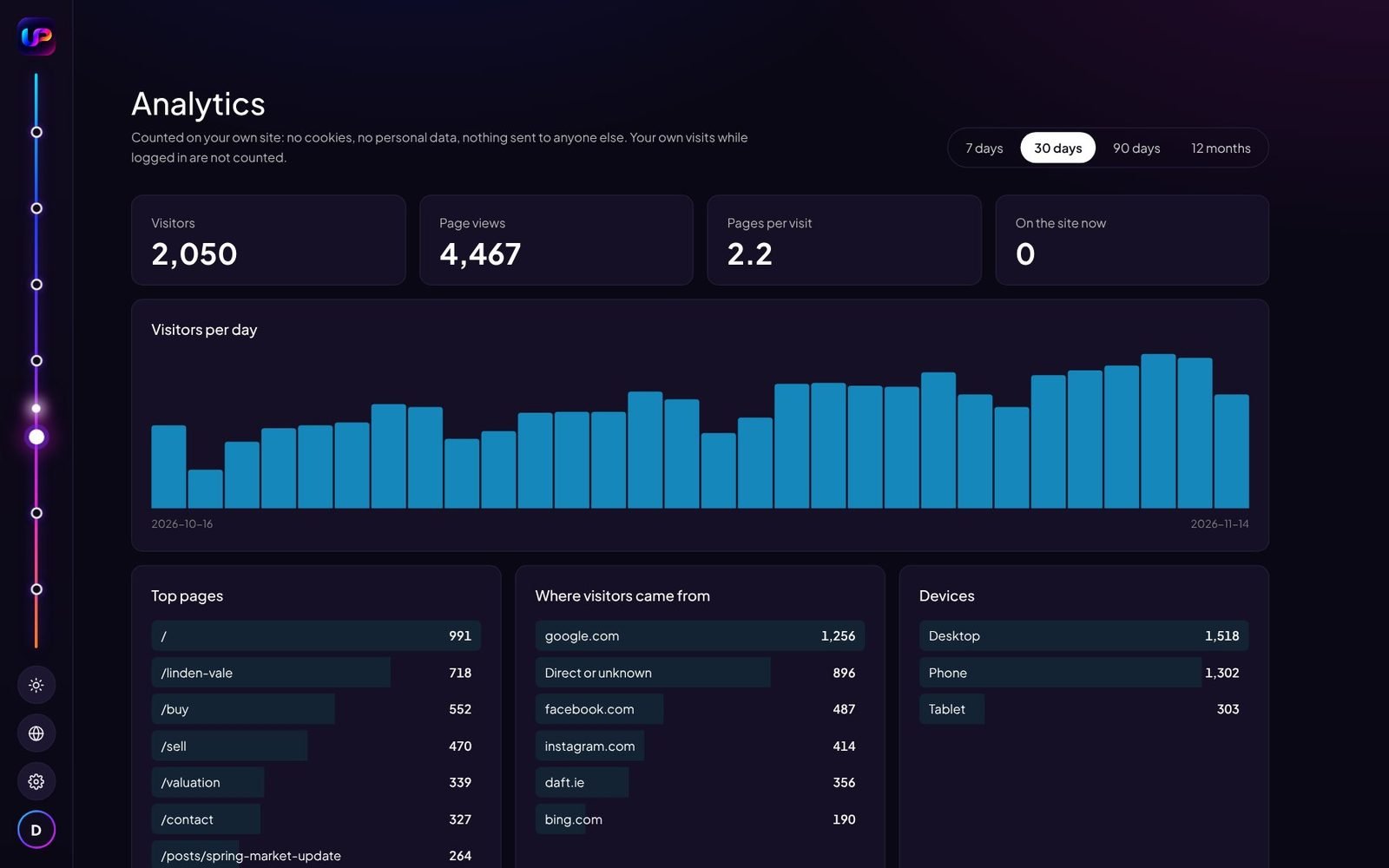
Built-in analytics shows visitors and views, top pages, where visitors came from, devices and countries. It sets no cookies and the data stays on your server.
A 404 log shows broken links people hit. Google Analytics, Tag Manager, Meta Pixel or Plausible can be switched on, with a cookie banner, if you use them.
Backups, security and health
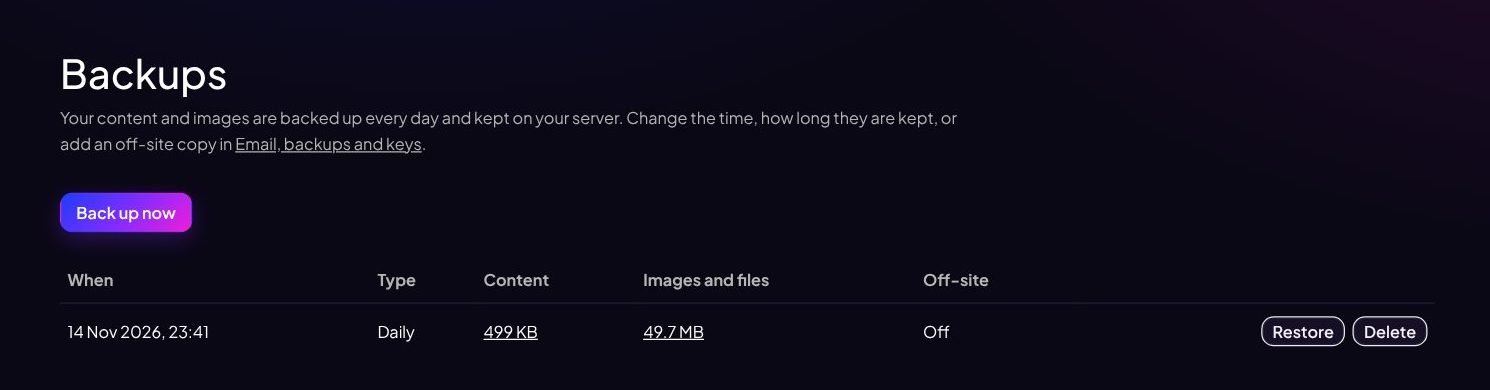
Content and images are backed up every day on your server, with an optional copy to S3-compatible storage and a one-click restore. Two-factor login, an activity log, Cloudflare Turnstile on forms and comments, a site health page and personal data export and deletion are built in.
Four templates, one click to switch
Modern bright, Luxury editorial, Dark premium and Swiss bold. Pick one in Site Settings and the whole site switches. Then set your own colours, fonts, logo and site icon. Features you add later follow the template automatically.
Everything else that is built in
- Blog
- Posts, categories, tags, authors, excerpts, sticky posts, featured images, related posts, archives and an RSS feed.
- Comments
- Moderation, threaded replies and built-in spam protection.
- Menus
- A header menu with drop-downs and a footer menu.
- Your own SMTP settings in the admin, with a log of every email sent.
- Forms
- Build a form, get an email for each entry, and keep every submission in the admin.
- Site search
- Visitors can search your pages and posts.
- Roles
- Administrator, Editor and Author, each with their own permissions.
- Scheduled publishing
- Set a date and a post or page goes live by itself.
- Settings
- Site title and tagline, homepage, posts per page, language, timezone, feature switches, maintenance mode and a privacy page.
- WordPress import
- Posts, pages, media, categories, tags, authors and comments, with redirects from your old addresses.
- Code snippets
- Add your own code to the head or body of every page, and an announcement bar.
- Export
- Download all your content as one file from the dashboard.
- HTTPS
- Set your domain and the certificate is issued and renewed automatically.
Connect Claude, ChatGPT or another AI for everyday changes
On the dashboard, click Connect AI Client and add the address it gives you to your AI as a custom connector (tested so far with Claude and ChatGPT). Then ask in any chat. The connection works with your permissions: an Author's connection can write posts but cannot change pages or settings. Your site needs its domain with HTTPS for the AI to reach it.
- "Write a blog post about our new opening hours and save it as a draft."
- "Add an FAQ section to the homepage with five questions customers ask."
- "Switch the site to the Dark premium template and make the accent green."
- "Approve all pending comments that aren't spam."
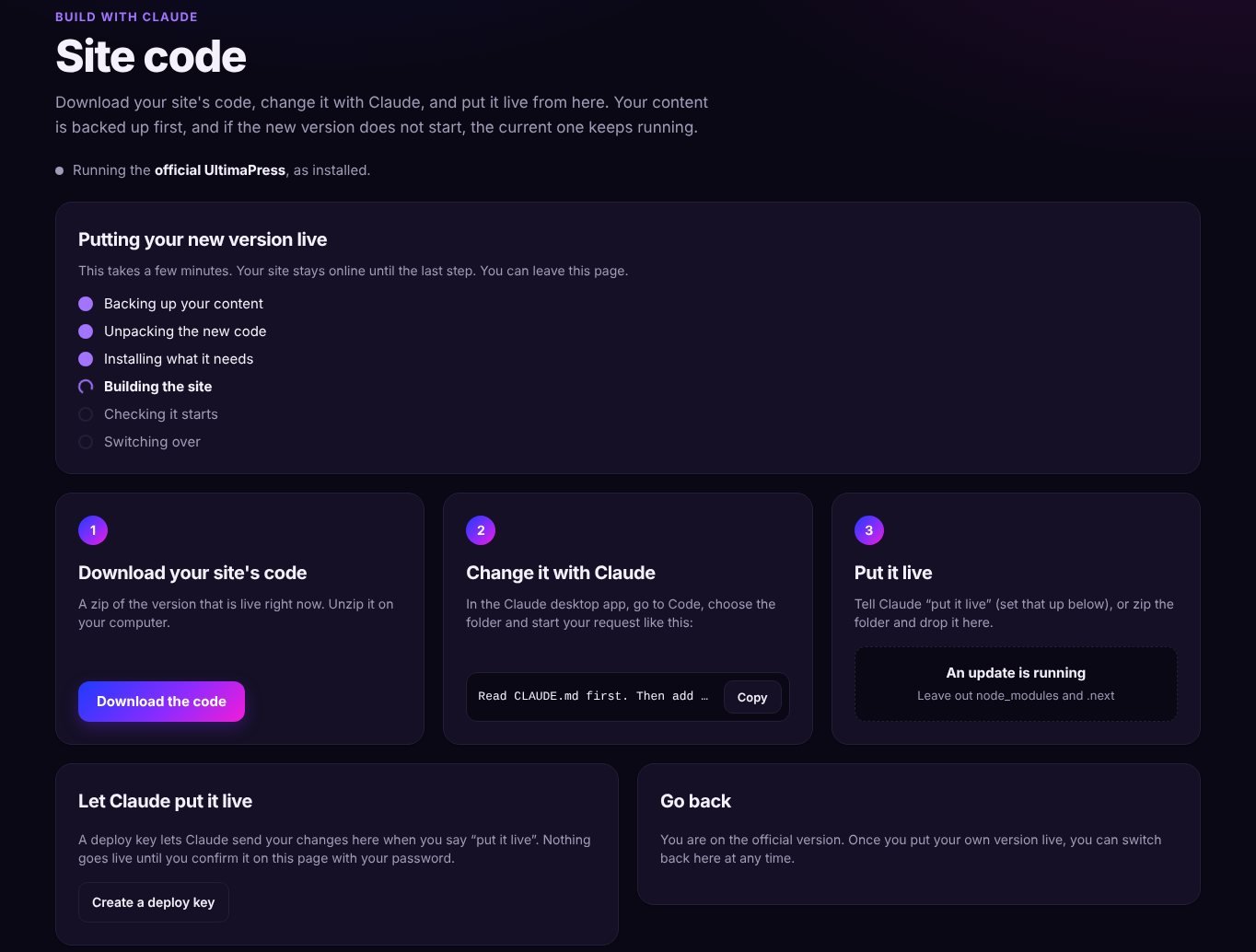
Site code: add features without GitHub
For something your site cannot do yet, download its code from the admin, ask Claude Code for the feature, then put the new version live from the same page.
Anything that changes the live site asks for your administrator password again. Your content is backed up first, and a version that does not build or start is refused, so the site keeps running.
The docs list examples of what to ask for.
Try it on your own server
UltimaPress is free to use. You pay only for your server and domain.